PC: Difference between revisions
No edit summary |
HexeChroma (talk | contribs) m (→History) |
||
| (8 intermediate revisions by 3 users not shown) | |||
| Line 12: | Line 12: | ||
}} | }} | ||
A '''PC''' is a utility block that allows the player to access the Pokémon | A '''PC''' is a utility block that allows the player to access the Pokémon Storage System. | ||
==Obtaining== | ==Obtaining== | ||
| Line 31: | Line 31: | ||
==Usage== | ==Usage== | ||
===Pokémon Storage System=== | ===Pokémon Storage System=== | ||
The PC can be interacted with to access the Pokémon | [[File:PC Block GUI.png|thumb|The GUI for the PC.]] | ||
The PC can be interacted with to access the Pokémon Storage System. This system allows players to withdraw or deposit Pokémon in Boxes, with any caught Pokémon being transferred automatically to the Pokémon Storage System if the player currently has a full party. | |||
Boxes can be filtered via a filter at the bottom of the Pokémon Storage System interface, as well as sorted via various options by clicking the four-squares icon next to the filter, allowing players to sort by name, level, type, [[Pokédex]] number or gender. | |||
Boxes can also be customised in various ways, allowing players to rename the currently viewed box by clicking on the name at the top or change the background of the box to various different unlocked [[Wallpapers]] via the four-squares icon next to the filter, then the grid icon in the top right of the interface. | |||
By default, there are 30 boxes available to the player, though this limit may be modified via the config. | |||
===Crafting Ingredient=== | ===Crafting Ingredient=== | ||
| Line 49: | Line 55: | ||
==History== | ==History== | ||
{| class="wikitable history" style="width:100%;" | |||
!Version | |||
!Description | |||
|- | |||
!'''[[1.0.0]]''' | |||
|{{ScaledImage|PC.png|32px}} Added the PC. The crafting recipe is introduced as 4 Iron Ingots and 2 Glass. | |||
{{CraftingInterface | |||
| A1 = {{ItemSlot| item = Glass}} | | A1 = {{ItemSlot| item = Glass}} | ||
| A2 = {{ItemSlot| item = Glass}} | | A2 = {{ItemSlot| item = Glass}} | ||
| Line 58: | Line 70: | ||
| output = {{ItemSlot| item = PC}} | | output = {{ItemSlot| item = PC}} | ||
}} | }} | ||
|- | |||
!'''[[1.3.0]]''' | |||
|Now emits light when active. | |||
|- | |||
!'''[[1.4.0]]''' | |||
|The PC crafting recipe has been changed to consist of 4 Iron Ingots, 2 Copper Ingots, 2 Smooth Stone, and a Glass Block. | |||
{{CraftingInterface | |||
| A1 = {{ItemSlot| item = Iron Ingot}} | | A1 = {{ItemSlot| item = Iron Ingot}} | ||
| A2 = {{ItemSlot| item = Glass}} | | A2 = {{ItemSlot| item = Glass}} | ||
| Line 71: | Line 88: | ||
| output = {{ItemSlot| item = PC}} | | output = {{ItemSlot| item = PC}} | ||
}} | }} | ||
|- | |||
!'''[[1.7.0]]''' | |||
|The Pokémon Storage System now has a variety of unlockable [[Wallpapers]] and sorting functionality. | |||
|} | |||
{{Blocks}} | {{Blocks}} | ||
Latest revision as of 00:48, 14 December 2025
.png)
.png)
 PC
PC| Stack Limit | 64 |
|---|---|
| Tool | Pickaxe |
| Hardness | 2 |
| Blast Resistance | 2 |
| Flammable | No |
| Light Level | 0 / 10 (when active) |
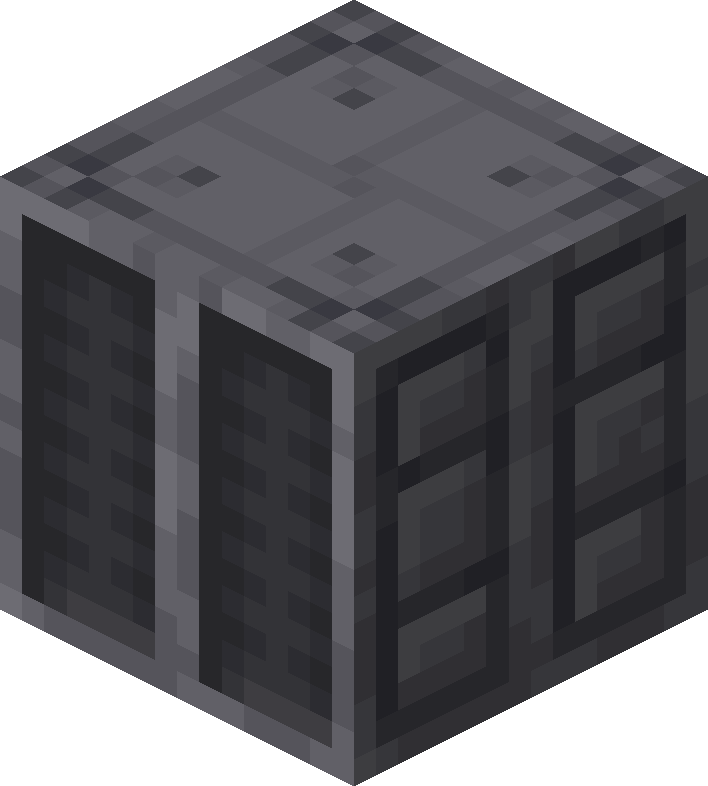
A PC is a utility block that allows the player to access the Pokémon Storage System.
Obtaining
Crafting


Usage
Pokémon Storage System

The PC can be interacted with to access the Pokémon Storage System. This system allows players to withdraw or deposit Pokémon in Boxes, with any caught Pokémon being transferred automatically to the Pokémon Storage System if the player currently has a full party.
Boxes can be filtered via a filter at the bottom of the Pokémon Storage System interface, as well as sorted via various options by clicking the four-squares icon next to the filter, allowing players to sort by name, level, type, Pokédex number or gender.
Boxes can also be customised in various ways, allowing players to rename the currently viewed box by clicking on the name at the top or change the background of the box to various different unlocked Wallpapers via the four-squares icon next to the filter, then the grid icon in the top right of the interface.
By default, there are 30 boxes available to the player, though this limit may be modified via the config.
Crafting Ingredient


History
| Version | Description |
|---|---|
| 1.0.0 |  |
| 1.3.0 | Now emits light when active. |
| 1.4.0 | The PC crafting recipe has been changed to consist of 4 Iron Ingots, 2 Copper Ingots, 2 Smooth Stone, and a Glass Block.
|
| 1.7.0 | The Pokémon Storage System now has a variety of unlockable Wallpapers and sorting functionality. |