Faintfulness/TMM: Difference between revisions
Faintfulness (talk | contribs) No edit summary |
Faintfulness (talk | contribs) |
||
| (7 intermediate revisions by 2 users not shown) | |||
| Line 1: | Line 1: | ||
{{InfoboxBlock | {{InfoboxBlock | ||
| image = TM Machine.png | | image = TM Machine (block, closed, empty).png | ||
| image2 = TM Machine (block, open, empty).png | |||
| image3 = TM Machine (block, closed, disc, inactive).png | |||
| image4 = TM Machine (block, closed, disc, active).gif | |||
| image5 = TM Machine (block, open, disc, inactive).png | |||
| image6 = TM Machine (block, open, disc, active).gif | |||
| image7 = TM Machine (block, closed, empty, dispensed).png | |||
| image8 = TM Machine (block, closed, disc, inactive, dispensed).png | |||
| image9 = TM Machine (block, closed, disc, active, dispensed).gif | |||
| image10 = TM Machine (block, open, empty, dispensed).png | |||
| image11 = TM Machine (block, open, disc, inactive, dispensed).png | |||
| image12 = TM Machine (block, open, disc, active, dispensed).gif | |||
| block = TM Machine | | block = TM Machine | ||
| transparent = No | | transparent = No | ||
| Line 11: | Line 22: | ||
}} | }} | ||
The '''TM Machine''' is a utility block used to create [[Technical Machines]] (TM's) by burning | The '''TM Machine''' is a utility block used to create [[Technical Machines]] (TM's) by burning unlocked TM recipes onto [[Blank TM]] disks. | ||
==Unlocking Recipes== | ==Unlocking Recipes== | ||
[[File:TMToast.png|thumb|300px|A recipe unlock | [[File:TMToast.png|thumb|300px|left|A recipe unlock toast.]] | ||
'''TM''' recipes are unlocked by obtaining a Pokémon that knows a '''TM'''-compatible move, or by right-clicking a [[Data Monitor]] that contains a '''TM''' disk. | |||
'''TM''' recipes also become available in the '''TM Machine''' interface. | |||
==Usage== | ==Usage== | ||
=== | ===TM Production=== | ||
[[File:TMMachineGUI.png|thumb| | [[File:TMMachineGUI.png|thumb|200px|left|The TM Machine interface.]] | ||
Recipes can be selected through the '''TM Machine''' interface and burned onto an inserted '''Blank TM''' disk using a matching [[Type Gems|Type Gem]] and up to two additional ingredients depending on the recipe. | Recipes can be selected through the '''TM Machine''' interface and burned onto an inserted '''Blank TM''' disk using a matching [[Type Gems|Type Gem]] and up to two additional ingredients depending on the recipe. | ||
| Line 37: | Line 48: | ||
| output = {{ItemSlot| item = TM Machine | tooltip = TM Machine}} | | output = {{ItemSlot| item = TM Machine | tooltip = TM Machine}} | ||
}} | }} | ||
== | ==Redstone== | ||
The '''TM Machine''' can be automated using hoppers and redstone. | The '''TM Machine''' can be automated using hoppers and redstone. | ||
Latest revision as of 23:35, 2 August 2026
.png)
.png)
.png)
.gif)
.png)
.gif)
.png)
.png)
.gif)
.png)
.png)
.gif)
| Tool | Pickaxe |
|---|---|
| Hardness | 3.5 |
| Flammable | No |
| Transparent | No |
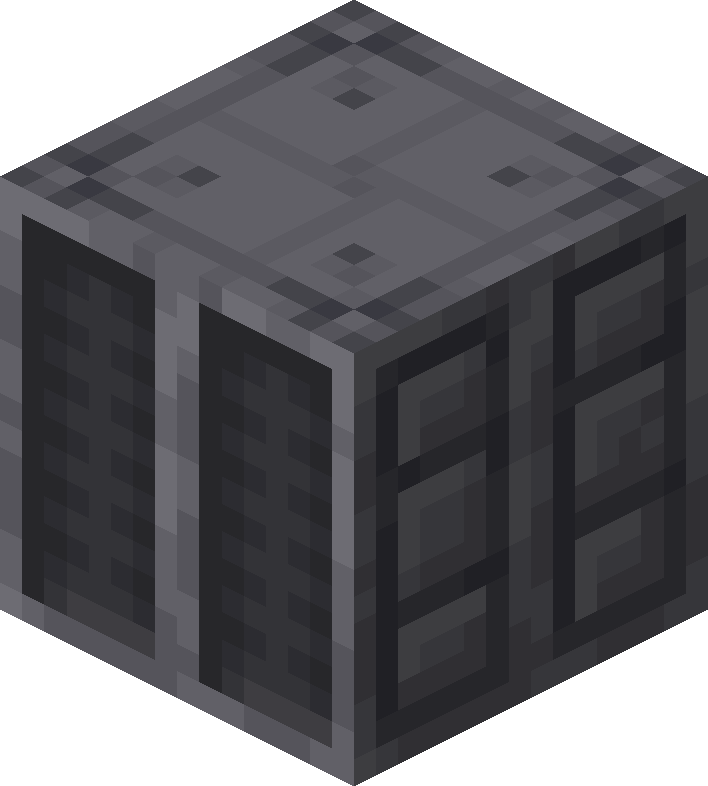
The TM Machine is a utility block used to create Technical Machines (TM's) by burning unlocked TM recipes onto Blank TM disks.
Unlocking Recipes

TM recipes are unlocked by obtaining a Pokémon that knows a TM-compatible move, or by right-clicking a Data Monitor that contains a TM disk.
TM recipes also become available in the TM Machine interface.
Usage
TM Production

Recipes can be selected through the TM Machine interface and burned onto an inserted Blank TM disk using a matching Type Gem and up to two additional ingredients depending on the recipe.
Obtaining
Crafting


Redstone
The TM Machine can be automated using hoppers and redstone.
When powered with redstone, the machine can continuously burn TM's as long as sufficient materials are available.
Comparators can also detect machine activity and output state.
History
| Version | Changes |
|---|---|
| 1.8.0 |  |